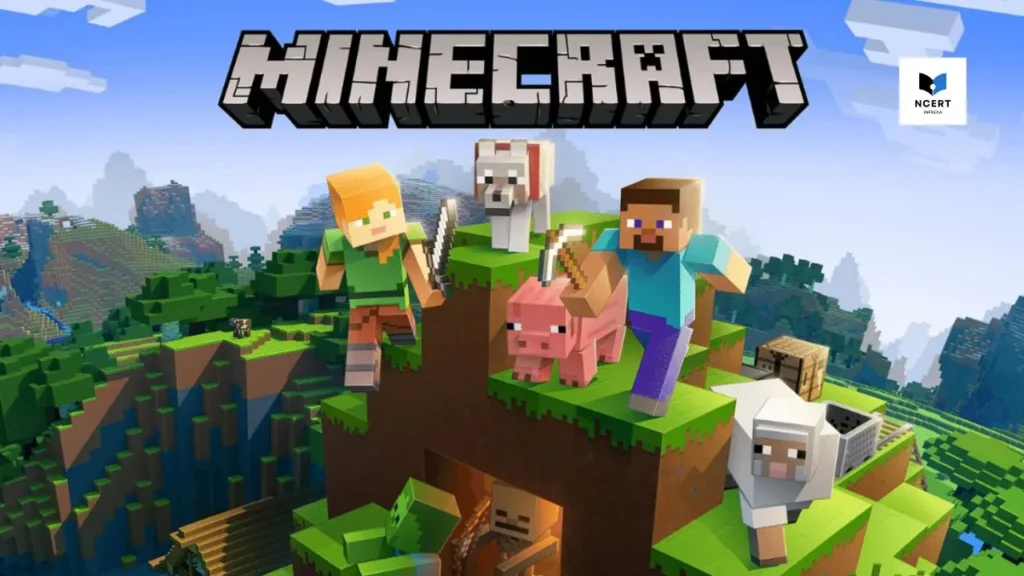
If you’ve been searching for a way to play Minecraft in your browser without spending a dime or clearing space on your hard drive, you’ve likely seen now.gg pop up. It promises “instant play” for mobile games, and for many titles like Roblox, it delivers perfectly.
However, when it comes to Minecraft, the truth in 2026 is a bit more complicated. As a tech analyst who tests cloud latency and platform compatibility daily, I’m here to cut through the SEO noise and tell you exactly what works, what doesn’t, and how to avoid the “no download” scams.
1. The Technical Reality: Is Minecraft on now.gg?
As of February 2026, the full, official version of Minecraft (Java or Bedrock) is not natively hosted on now.gg. While now.gg is a revolutionary mobile cloud platform, it primarily hosts Android-based games that are free-to-play or supported by ads. Because Minecraft is a paid premium title owned by Microsoft/Mojang, it cannot be streamed for free on third-party sites without violating licensing agreements.
What you will find on now.gg instead:
- Minecraft Trial (90-Minute Limit): You may occasionally find the Minecraft Trial on cloud platforms. This is the official trial version that allows survival mode play for one in-game day (about 90 minutes) before locking.
- Voxel Clones: Searching for “Minecraft” on these platforms often brings up clones like Miniblox, Mine-Craft.io, or Paper Minecraft. These are fan-made browser games. They are fun, but they are not the real Minecraft.
2. How to Play Minecraft Without a Heavy Download (2026 Methods)
If your goal is to avoid a massive installation because of storage or hardware limits, there are legitimate ways to play in 2026:
Option A: Minecraft Classic (The 100% Official Browser Version)
Did you know Mojang has an official browser version? It’s called Minecraft Classic.
- URL: classic.minecraft.net
- The Experience: This is the 2009 version of the game. It only has 32 blocks and no survival mode, but it is official, free, and requires zero downloads.
- Best for: Quick building sessions with up to 10 friends.
Option B: Chromebook & Low-End PC Optimization
In 2026, the Minecraft Launcher has been optimized for low-end hardware. If you are on a Chromebook, you no longer need now.gg.
- Open the Google Play Store.
- Search for Minecraft.
- Install the Bedrock Edition (Native support was finalized for most ChromeOS devices in 2025).
Option C: High-End Cloud Gaming (GeForce NOW)
If you want the Full Java Experience with shaders and mods but your PC can’t handle it, use NVIDIA GeForce NOW.
- How it works: You must own the game on Steam or the Microsoft Store.
- The Result: You stream the game from a high-end RTX 5090 server (2026 tech) directly to your browser. This is the “Pro” version of what people hope to find on now.gg.
Step-by-Step Guide: Playing Official Minecraft on a Browser (GeForce NOW)
If you have a weak PC or a Chromebook and want the full Minecraft experience – including RTX ray tracing and multiplayer servers – this is the most reliable and widely supported legitimate browser-based method in 2026.
1. Requirements
- Ownership: You must already own Minecraft (Java or Bedrock) on your Microsoft account.
- Internet: A stable connection of at least 25 Mbps is recommended for a smooth 1080p stream.
- Account: A free or premium NVIDIA GeForce NOW account.
2. The Setup Process
- Visit the Portal: Go to play.geforcenow.com in your Chrome or Edge browser.
- Sync Your Library: Log in and head to Settings > Connections. Link your Xbox/Microsoft account. This verifies that you own Minecraft, so you aren’t playing a “pirated” or unsafe clone.
- Search & Launch: Search for “Minecraft” in the GeForce NOW search bar. Click Play.
- Hardware Acceleration: Since you are playing in a browser, ensure “Hardware Acceleration” is turned ON in your browser settings to avoid input lag.
3. Enabling RTX Shaders (2026 Ultimate Quality)
Once you are in the game via the cloud:
- Go to Settings > Video.
- Scroll down to Ray Tracing.
- Toggle it ON.
- Note: This requires a “Priority” or “Ultimate” GeForce NOW tier, as the free tier does not always support RTX features.
3. Comparison of “No-Download” Minecraft Options
| Feature | now.gg (Clones/Trial) | Minecraft Classic | GeForce NOW |
| Official Status | Unofficial / Trial Only | Official | Official |
| Cost | Free | Free | Free Tier / Paid Sub |
| Survival Mode | Limited (90 mins) | No | Yes (Full) |
| Multiplayer | Limited | Yes (Local/Friends) | Yes (Global Servers) |
| Trust Score | 2/10 | 10/10 | 10/10 |
4. Safety and Trust: Why “Free” isn’t always safe
When a site promises a $20 game for free with “no registration,” it often comes with:
- Aggressive Adware: Redirects that try to install “cleaner” apps on your PC.
- Data Harvesting: Unofficial clones that ask for your Discord or Microsoft login.
- Outdated Versions: Playing on 2-year-old versions that lack the 2026 “Vibrant Visuals” or new mobs like the Baby Zombified Piglin mounts.
Pro Tip: Always check the URL. If it isn’t minecraft.net, now.gg, or nvidia.com, do not enter your Microsoft account credentials.
5. The Best Way to Play in 2026
If you are looking for the “now.gg experience” – click and play – the best choice is to stick to Roblox (which works perfectly on now.gg) or use Minecraft Classic for a hit of nostalgia. For the full 2026 experience with all the latest blocks and biomes, the official Minecraft Trial or GeForce NOW are the only trusted paths.
Stop chasing “magic” links that promise the full game for free in a browser window; they usually end in lag, ads, or disappointment.
This video compares the official 2026 Minecraft Trial visuals and gameplay, helping you identify the real game versus the low-quality clones often found on unofficial streaming sites.